WIP Tracker Module
Know where every job is. The moment it changes. The WIP Tracker, also known as a Workflow Management System, is e-Track’s real-time job management dashboard showing the live status of every vehicle, task, or job in your operation from the first key deposit to final collection. WIP Tracker is a core module of e-Track's Enterprise Web Software, a cloud-based platform that gives you complete control over key management, workflow automation, and operational reporting across your entire business. No manual updates. No chasing staff. No end-of-day surprises.
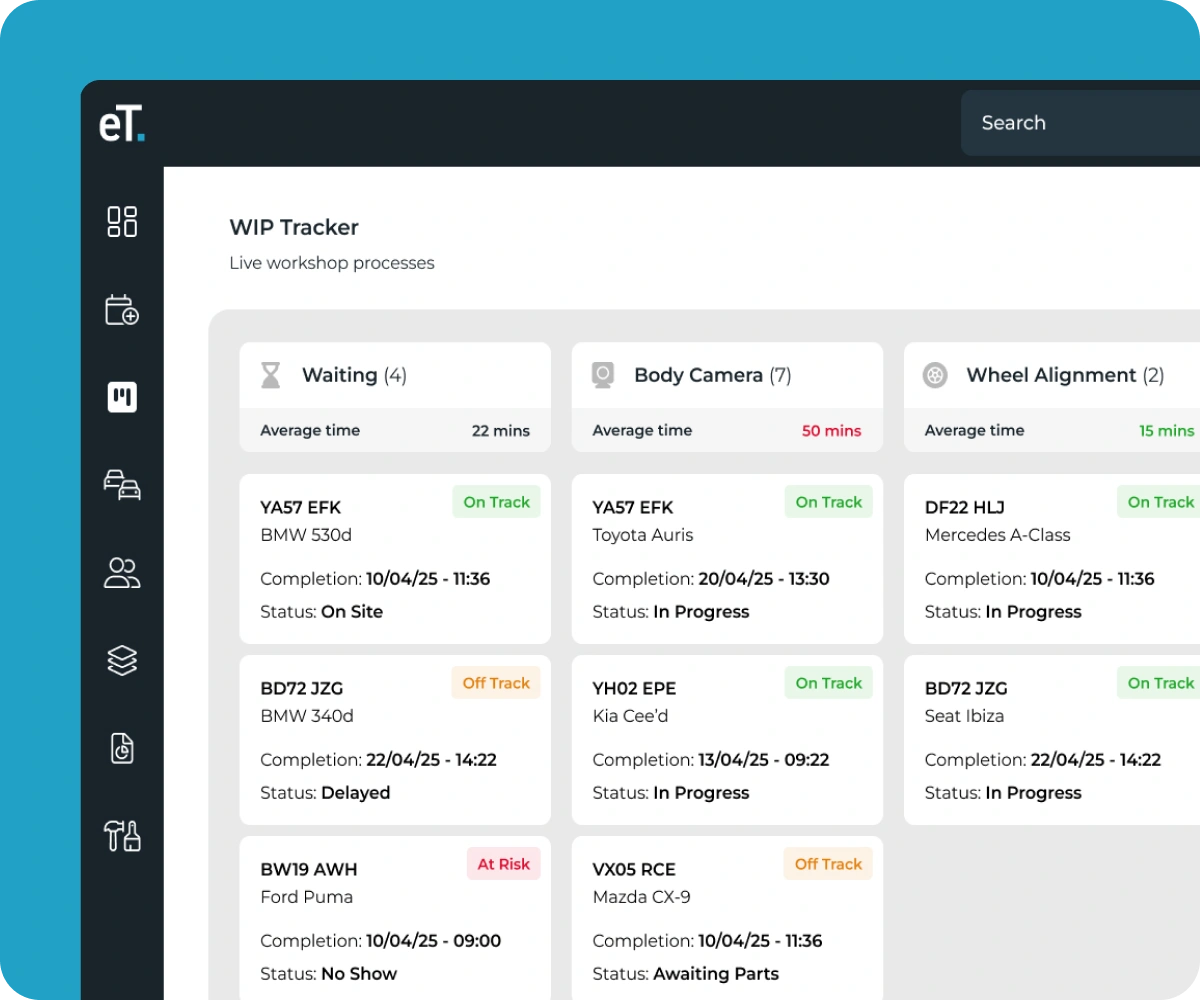
Real-Time Job Tracking That Updates Itself
Most job management tools rely on staff remembering to update them. The WIP Tracker is different; it updates automatically when a key is deposited through the e-Drop and when an RFID fob is scanned at each e-Point checkpoint. Every stage change is logged the moment it happens, without anyone touching a keyboard. The result is a live dashboard that reflects what is happening in your operation, not what someone remembered to type in twenty minutes ago.
Why Manual Job Tracking Costs You More
In a busy service department or managed property, the information gap between what is happening and what managers know about is where time is lost. A vehicle arrives, but the job hasn’t started. A stage overruns, but no one flags it. A customer calls to chase a job that should have been done an hour ago. Every one of those moments costs time, trust, and money, and most of them are invisible until they become a complaint. The WIP Tracker closes that gap entirely.
How the WIP Tracker Works
1. Key Deposit
When a key enters a system, the WIP Tracker creates a job card automatically and starts the clock.
2. Workflow Stages
As work progresses, staff update the system either by scanning at checkpoints or marking stages complete when returning keys between service areas.
3. Live Progress
Every job is visible on the dashboard with its current stage, elapsed time, and assigned staff member. No calls, no manual check-ins.
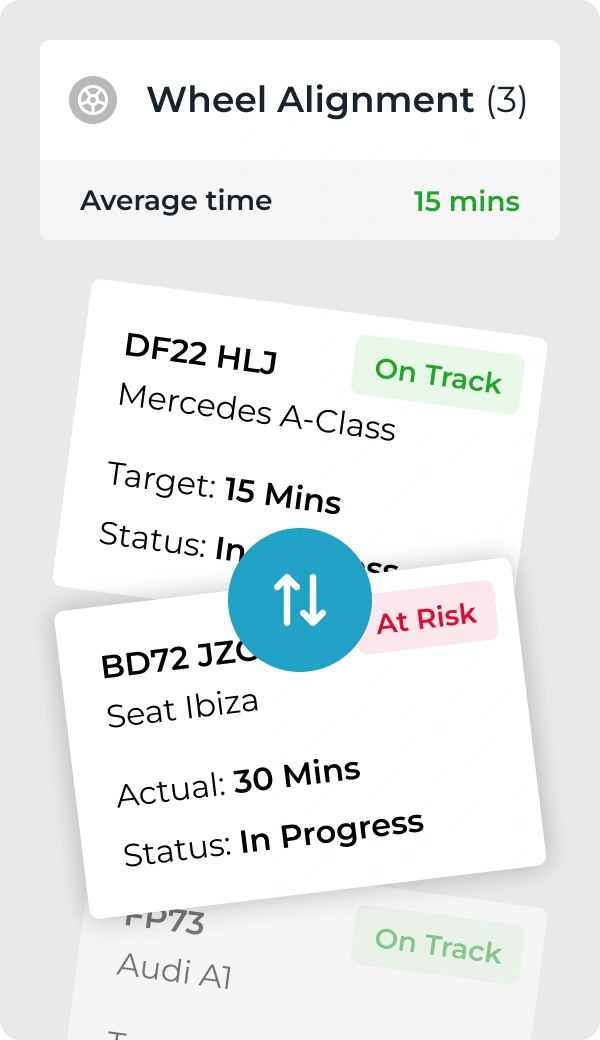
4. Automated Alerts
If a job stalls at a stage or exceeds its expected timeframe, the system notifies the right person before it becomes a customer complaint.
5. Workflow Completion
When the key is returned to any system, notifications are sent to relevant parties customers or internal teams, depending on your workflow.
6. Audit Trails
Closed jobs move to 'archived' with the full timeline logged. Available to review at any time for compliance or performance analysis.
WIP Tracker + Electronic Key Cabinet
The WIP Tracker integrates directly with e-Track electronic key cabinets to automate job tracking from the moment a key is removed. When staff collect a key from the cabinet, the WIP Tracker logs the action and starts the job timer. As the key moves between departments and service areas, each return and collection updates the job status in real time, eliminating manual logging and giving managers a live view of every active job.
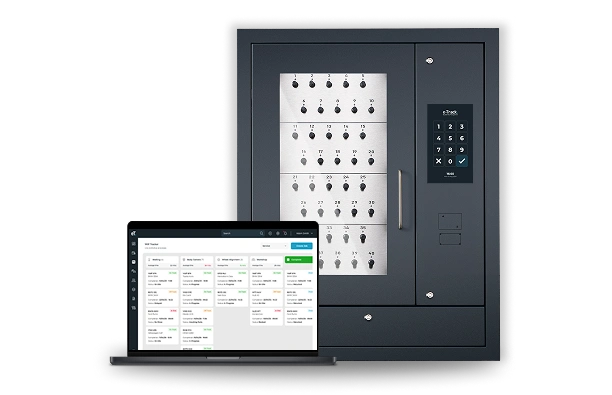
Automatic Job Creation
When a key is removed from the cabinet, a job card is created instantly with the assigned staff member and timestamp.
Stage Updates
Staff mark stages complete when returning keys to the cabinet between service areas, updating the WIP dashboard automatically.
Full Accountability
Every key movement is logged with who accessed it, when, and for how long creating a complete audit trail for every job.
WIP Tracker + e-Drop
The WIP Tracker works seamlessly with the e-Drop electronic concierge system to automate customer-facing workflows. When a customer deposits a key through the e-Drop, the WIP Tracker creates a job record automatically and notifies the relevant staff member. As the job progresses, staff scan the RFID fob at each checkpoint or return the key to mark stages complete. When the job is finished and the customer collects their key, the WIP Tracker closes the record and archives the full timeline.
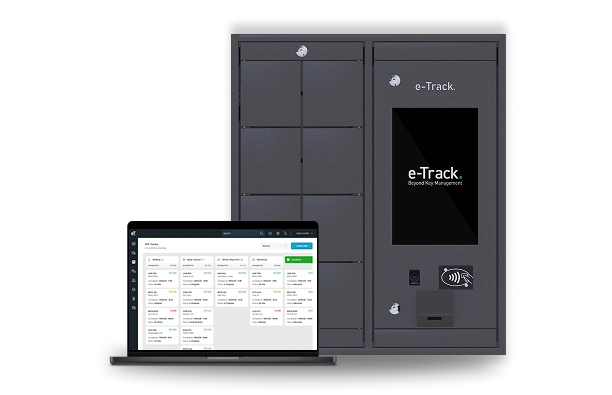
Key Deposit Trigger
The moment a key is deposited via e-Drop, the WIP Tracker creates the job card and starts the clock without staff needing to do anything.
Automated Notifications
When the key is returned to the system, it alerts the customer automatically via SMS or email. Completely removing waiting times.
End-To-End Visibility
From drop-off to collection, every stage is tracked and timed, giving managers complete oversight of every customer job in progress.
WIP Tracker + Checkpoints
The WIP Tracker connects to Checkpoints to provide real-time updates as jobs move physically through your facility. Staff scan the RFID fob at each checkpoint intake, inspection, service, cleaning, and completion, and the WIP Tracker updates the job status instantly. Managers see exactly where every job is at every moment, and automated alerts fire if a stage overruns or a job stalls, ensuring nothing gets forgotten or delayed.
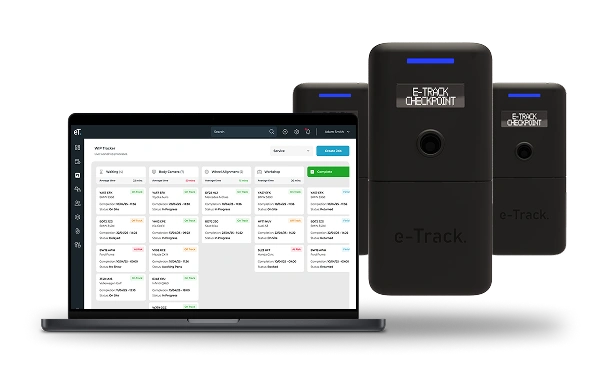
Real-Time Updates
Each Checkpoint scan updates the job card instantly, showing the current location and elapsed time at every checkpoint.
Delay Alerts
If a job sits too long at any checkpoint, the WIP Tracker flags it and notifies the responsible manager before it becomes a problem.
Physical Workflow Tracking
The system tracks what is happening on the ground, not what someone remembered to enter later, giving you a true real-time view of your operation.
What Makes the WIP Tracker Different?
Live Statuses
Every job updates automatically as keys move through your workflow. What you see on the dashboard is what is happening right now not what someone last entered.
Custom Workflows
Build the stages that match your operation. A five-stage dealership service process or a three-stage maintenance workflow, you set it up yourself through e-Track Web Software.
Connected Ecosystem
Unlike generic workflow tools, the WIP Tracker is triggered by real-world events. A key deposit in the e-Drop, an RFID fob scanned at a checkpoint. The system tracks what is physically happening.
Workflow Delays
The WIP tracker stages can have a time set against them. Meaning that any timeframe that falls past this allocation is flagged. This can help identify bottlenecks and adjust accordingly.
Frequently Asked Questions About the WIP Tracker
A WIP tracker or Work in Progress tracker is a dashboard that shows the live status of every job in your operation. In e-Track’s system, it updates automatically when keys are deposited and collected, so managers always have a real-time view without relying on staff to manually log updates.
Most job management tools require staff to update them manually. The e-Track WIP Tracker is triggered automatically by the e-Drop and Checkpoint hardware, meaning the dashboard reflects what is physically happening in your operation, not what someone remembered to enter.
No. Because updates are triggered by key deposits and RFID scans rather than manual input, staff do not need to interact with the software directly. Managers access the dashboard through a browser on any device.
Yes. Workflow stages are fully configurable through the e-Track Web software platform. You define the stages that match your operation without raising a support ticket or waiting on a vendor.
The WIP Tracker is part of the e-Track web software platform and works most effectively when connected to the e-Drop and Checkpoint hardware. Speak to our sales team about the right configuration for your operation.